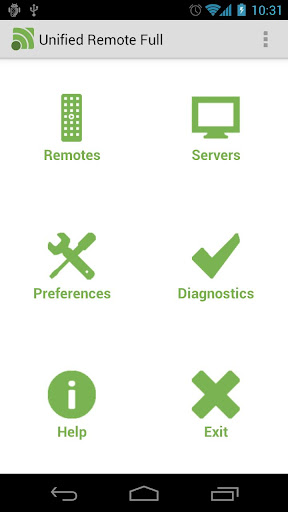
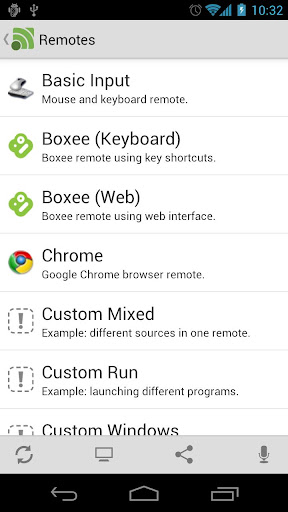
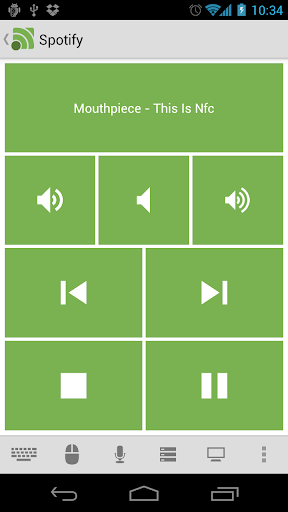
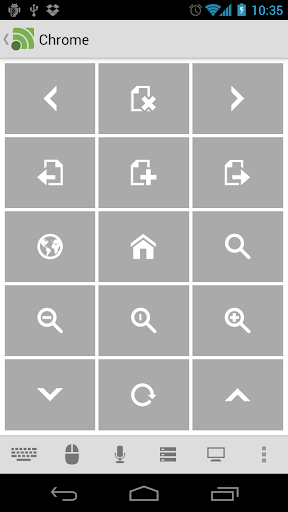
Description:Easily the most feature-filled Android-PC remote. Turns your Android device into a WiFi or Bluetooth remote control for your Windows PC. Control your favorite programs, mouse, and keyboard.DOWNLOAD SERVER V2: www.unifiedremote.com
SUPPORThttp://unifiedremote.com/supporthttp://support.unifiedremote.com/
Please try the free version before you buy the full version. Please let us know if you have any problems upgrading from the free version to the full version.
Features:- Custom Remotes
- WiFi (TCP/UDP)
- Bluetooth
- Easy server and app setup
- Comprehensive server manager
- Automatic server detection
- Clear connection troubleshooting
- Custom/Android keyboard support
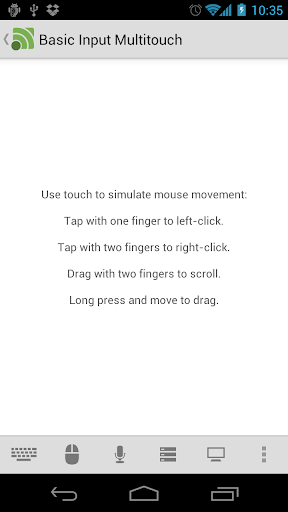
- Single/Multi touch mouse
- Hardware volume control
- Quick Switch using swipe gestures
- Quickly change servers
- Auto-pause media for phone calls
- Homescreen shortcuts to remotes
- Wake On Lan
- Server password protection
- 256-bit AES encryption
- Voice commands
Free Version Features:- Basic Input
- File Manager
- Keyboard
- Media
- Power
- Slide Show
- Spotify
- Start
- Task Manager
- Windows Media Center
- Windows Media Player
- VLC (Keyboard)
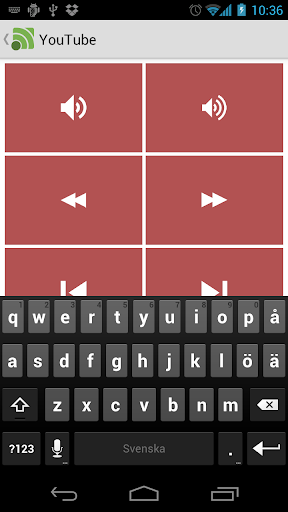
- YouTube
Full Version Features:- Custom Remotes
- Boxee (Keyboard)
- Boxee (Web)
- Chrome
- Firefox
- foobar2000
- Hulu Desktop
- Hulu Web
- Internet Explorer
- iTunes
- J River Media Center
- Monitor
- Media Portal
- MediaMonkey
- MPC HC
- Netflix
- Opera
- Pandora
- Picasa
- PowerPoint Advanced
- PowerPoint Basic
- Send Text
- Spotify Advanced
- Tellstick
- USB-UIRT Helper
- Winamp
- Windows Photo Viewer
- VLC (Web)
- XBMC (Keyboard)
- XBMC (Web)
- XBMC Media
What's in this version:Free + Full version:Fixed typo in preferencesAdded dynamic themes in custom remotesFixed tapping issue on high DPI screensFixed scrolling issue in large remotesFixed stuck progress dialogFixed layout bug in large remotesFull version:Added IR actions for HTC One and Keene
Required Android O/S: 1.6+
Screenshots:
Download: 1MB
Description:TeamViewer is a simple and fast solution for remote control, desktop sharing and file transfer that works behind any firewall and NAT proxy. To connect to another computer just run TeamViewer on both machines without the need of an installation procedure.
With the first start automatic partner IDs are generated on both computers. Enter your partner's ID into TeamViewer and the connection is established immediately. With many thousand users worldwide TeamViewer is a standard tool to give support and assistance to people in remote locations.
Features:Remote Support and Remote AccessRemote Support – no need for any installation on the client sideRemote Administration – 24/7 access to remote computers and serversRemote Access – access your data and applications – anytime, anywhereHome Office – access your office computer from home
Online Meetings – have up to 25 participantsOnline Presentation – boost your sales potentialTraining Session – cut costs by conducting training onlineOnline Teamwork – collaborate online on documents in real-time
What's New:Improved user experience within mobile Device SupportFixed some problems with *.tsv files (recorded sessions)Other minor improvements and fixes
Required O/S:WIN XP, VISTA, 7 AND 8
Screenshots:
Download: (5.24MB)Link | HomepageLink | ChangelogDownload | 8.0.20202
软件简介:TeamViewer 它可以穿越内网,摆脱路由器或防火墙的限制,任何一方都不需要拥有固定IP地址。TeamViewer 需要在两台电脑上同时运行 TeamViewer。在第一次运行的时候会自动生成一个 ID 和密码。ID是固定的,但密码是随机的,每次执行都会不同。左边是你的 ID 和密码,右边是对方的 ID 和密码。你只需输入对方的 ID 和密码就能控制对方的机器了。功能介绍: 远程控制/支持:即时远程控制 – 客户端无需安装任何程序远程维护 – 全天候访问远程计算机和服务器远程访问 – 随时随地访问您的数据和应用家庭办公 – 在家也能访问办公室计算机
会议/演示:在线会议 – 最多可容纳25名参加者演示 – 提升销售潜力培训会 – 实施在线培训,削减支出团队协作 – 实现实时在线文档协作
更新内容:Improved user experience within mobile Device SupportFixed some problems with *.tsv files (recorded sessions)Other minor improvements and fixes
系统需求:WIN XP, VISTA, 7 AND 8
软件截屏:
下载地址: (5.24MB)官方主页软件下载