MENU

Showing posts with label 卸载清理 / UNINSTALL & CLEAN. Show all posts

Wednesday, 21 August 2013

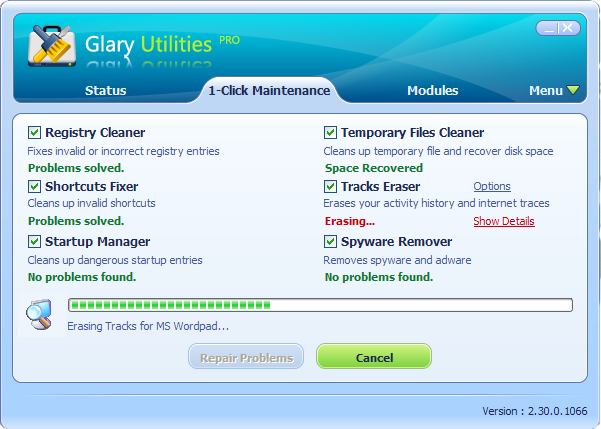
✼SOFTWARE✼ Glary Utilities 3.9.0.137


Description:

Glary Utilities is an indispensable friend for your PC, with its 100% safe, thorough & quick cleaning and worry-free restoration.

Glary Utilities has registry and disk cleaning, privacy protection, performance accelerator and amazing multifunctional tools. It can fix dogged registry errors, wipe off clutters, optimize internet speed, safeguard confidential files and maintain maximum performance. It is designed for both novice and professionals.


Features:

  • Automatic care in background.
  • Optimize, clean and boost the speed of your Windows
  • Protect your privacy and security.
  • Block spyware, trojans, adware, etc.
  • Fix certain application errors.
  • Simple, fast and User friendly interface.
  • Much more powerful utilities.

What's New:

Updated Japanese, Turkish and French translations.
Improved Firefox cache cleaning.
Improved Software Update tool.
Optimized and improved Registry Cleaning.
Minor GUI improvements.
Minor Bug fixes.

Required O/S:

WIN XP, Vista, 7 and 8

Screenshots:

Auto PC Care on a Schedule


Download: (6.5 MB)

Link  | Homepage
Link  | Changelog
Download  | 3.9.0.137
Download  | Serial

Tuesday, 20 August 2013

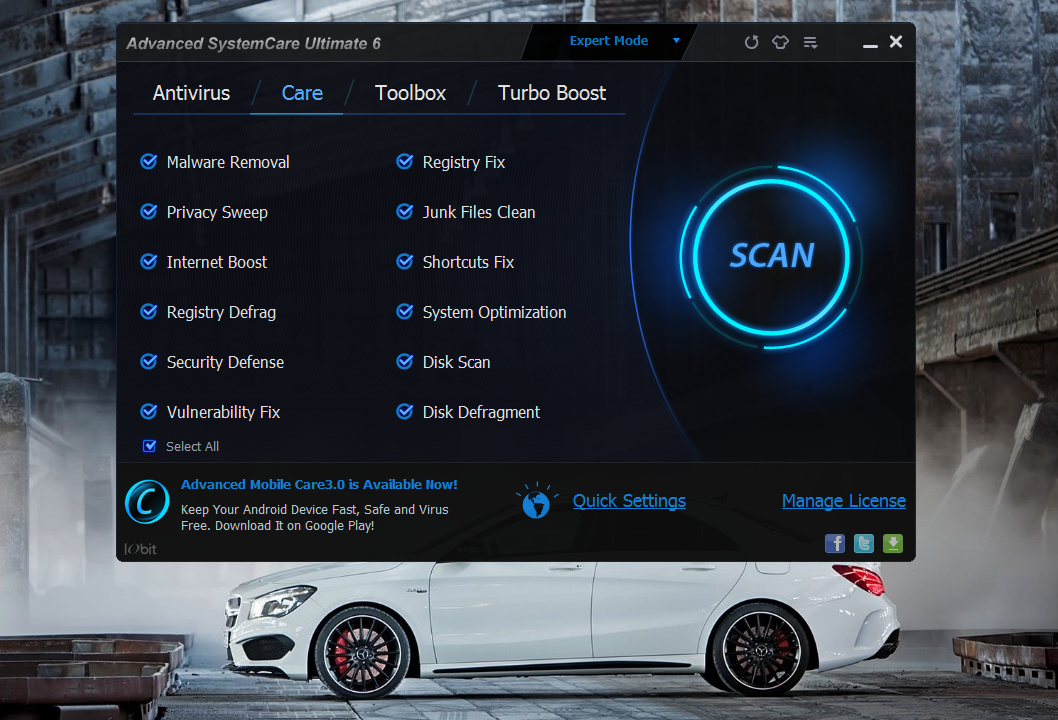
✼SOFTWARE✼ Advanced SystemCare Pro 6.4.0.289 (多语言)


Description:

Based on #1 ranked BitDefender antivirus technology and IObit anti-malware engine, Advanced SystemCare Ultimate 6 incorporates top anti-virus capabilities, as well as the already proven comprehensive PC tune-up ability. It provides protection against all kinds of security threats, system slowdown, freeze and crash without slowing down your system.

Advanced SystemCare Ultimate 6 is compatible with other security software, and it includes all features of ASC PRO. Users who uninstall Advanced SystemCare PRO during Advanced SystemCare Ultimate 6 trial can easily revert to ASC PRO at any time.

Features:

  • Protects you against viruses, spyware, hackers, phishing, botnets and more
  • Protects your identity when you shop and bank online
  • Boosts, cleans, and fixes all kinds of PC problems with just 1 click
  • Light and fast, compatible with other security products

Required O/S:

Windows 8, 7, Vista, and XP

What's New:

Updated database for Malware Removal for better security
Updated database for Privacy Sweep for better privacy protection
Updated database for Surfing Protection for safer online surfing and searching
Updated multiple languages to the latest
Updated and optimized multiple tools in Toolbox
Added Support for Windows 8.1
Fixed general bugs

How to: (Serial)
1. Download and install
2. insert one of the code below to upgrade 
CC52B-28CB1-DAF12-A96D6
65792-57FC4-5CEC1-677C4 

Screenshots:


Download: (23.24MB)

Link  | Homepage
Link  | Product Comparison

Download  | Pro 6.4.0.289

Monday, 12 August 2013

✼SOFTWARE✼ Advanced SystemCare 7 Beta 1.0 (0731)


Description:
Advanced SystemCare provides automated and all-in-one PC care service with Malware Removal, Registry Fix, Privacy Protection, Performance Tune-up, and System Cleaning capabilities. It also creates superior and safer online experience with the latest Surfing Protection and Internet Boost technology, ensuring you top online security and maximum PC performance.

Features:
  • Protects you against viruses, spyware, hackers, phishing, botnets and more
  • Protects your identity when you shop and bank online
  • Boosts, cleans, and fixes all kinds of PC problems with just 1 click
  • Light and fast, compatible with other security products

Required O/S:

Windows 8, 7, Vista, and XP

What's New:
+ Brand new user interface for easier and smoother use.
+ AutoClean is available in FREE edition now for intelligent privacy protection and system cleaning.
+ New Surfing Protection technology supports real-time database update and parent control for safer surfing for both parents and kids.
+ New Homepage Protection function protects homepage and search engine against malicious modification.
+ New Program Deactivator tool for retrieving more available system resource by disabling running programs.
+ New Skip-UAC function for faster and easier loading of the program.
* Fully upgraded Cloned Files Scanner supports removing duplicates in just one-click.
* Expanded Malware Removal database for better protection against latest malware threats.
* Enhanced Registry Fix and Vulnerability Fix for faster scanning speed and stable performance.
* Enhanced Shortcut Fixer provides faster scanning speed and richer functions.
* Improved Junk Files Clean fully supports the cleaning of Windows 8 Metro (Modern) Apps.
* Improved Disk Explorer supports removing useless downloaded files by scanning download directories.
* Improved Turbo Boost gives you more stable performance and advanced custom configuration.
* And more to be discovered by you.

Screenshots:


Download: (26.70MB)

Link  | Homepage
Download  | 7 Beta 1.0

Thursday, 8 August 2013

✼SOFTWARE✼ Wise Care 365 Pro 2.72 Build 212


Description:
Wise Care 365 Pro is the program offers you a powerful set of tools with a comfortable interface for your service in Windows. In this program provides utilities for cleaning your PC from unwanted files, defragmenting and optimizing the registry, free up the hard drive, recover lost files, remove internet tracks and many other useful applications.

Features:

  • Clean, defrag and optimize the Windows registry
  • Defragment and osvobodzhdenie hard disk space
  • Protect your privacy by erasing personal data tracking
  • Recover lost files
  • Ability to hide your important files and folders
  • Prevent unauthorized use of personal references
  • Auto shutdown computer
  • Freeing up to improve the performance of games and software
  • Simple "One Click Tune-up" option to quickly optimize your PC
How to use:
1. Run WiseCare365.exe to install,
2. Keygen the Name and Serial below to activate. (Choose Any Serial)
3. If doesn't work out, use the keygen
4. Enjoy and always remember GENTterritory.
Name: GENTterritory
Serial:  BABB-82C0-949182-F611-6FD8
Serial: 2302-5BFF-54D141-3751-AF98

Required O/S:
WIN XP, VISTA, 7 AND 8

Screenshots:


Download: (7.70MB)
Link  | Homepage
Download  | Pro 2.72 Build 212

Monday, 5 August 2013

✼SOFTWARE✼ Uninstall Tool 3.3.1 (多语言)


Description:
Make your Computer Work Faster Now by using Uninstall Tool! It's a fast, secure and convenient way to remove unneeded applications and system components. Great, powerful and reliable alternative to standard Windows removal program. 

Uninstall Tool 是一个小巧、安全、快速、强大的软件卸载删除工具,它支持在使用软件本身的卸载程序卸载完毕后,再扫描软件残留的注册表项及残余文件,将其彻底在系统删除。跟踪安装模块可以监视每款软件的安装,实时监视软件安装在系统中的任何文件及注册表项目,以便卸载软件时更加彻底的将其删除干净。


Features:
  • Completely remove any software! (using Install Tracker (Installation Monitor) and Uninstall Wizard ™ technologies)
  • 3 Times Faster than standard removal program
  • Uninstall System and Hidden programs
  • Add/Remove Programs that automatically run at system startup
  • Portable Mode: run from USB flash drive
  • Uninstall Programs that could not be removed by Add/Remove program.
  • Force removal of uninstall related registry & file system items
  • Smart Search ™ allows quick finding of any application you need.
  • Native X64 version for 64-bit versions of Windows (single setup)
  • Batch Removal operations
  • Highlighting of recently installed applications in the list
  • Navigate to a selected program's Registry Entry, Installation Folder and its Web Site.
  • View Detailed Information of a certain application installed on your computer.
  • Easy to use and modern User Interface allows to work comfortably with Uninstall Tool.
  • Multilingual interface with native support of 35 languages
  • Control Panel icon, HTML reports, running different Windows tools
  • 完全删除任何软件
  • 比标准删除程序快3倍
  • 添加删除系统启动项
  • 可以删除“添加/删除程序”无法卸载的程序
  • 强制删除卸载相关的注册表和文件系统项目
  • 智能搜索,可以快速找到你所需要的任何应用程序
  • 批量删除操作
  • 突出显示列表中的最近安装的应用程序
  • 定位到选定程序的注册表项、安装文件夹和网站
  • 查看您电脑上安装的某个程序的详细信息
  • 易于使用和现代化的用户界面
  • 替换控制面板图标,HTML报告,调用Windows工具等

How to:
Replace the cracked exe to the original exe file in the program folder.
使用“uninstalltool”覆盖安装目录的源文件即可(32位系统使用X86里面的文件替换,64位系统使用X64里面的文件替换)


What's New:
Startup manager: ability to drag and drop a file to quick add a new autorun program
IMPROVED Indonesian translation
FIXED Fixed search filter behaviour when using keyboard up/down keys
FIXED Fixed small issue when navigating to a collapsed recent program (it's parent is collapsed)

FIXED Fixed abnormal program termination in some cases

Required O/S:
WIN XP, VISTA, 7 AND 8

Screenshots:


Download: (3.5MB)

Link  | Homepage
Link  | Changelog
Download  | v3.3.1
Download  | Crack files