MENU

Showing posts with label PDF. Show all posts

Monday, 19 August 2013

✼SOFTWARE✼ Sumatra PDF 2.4.0.8327 Pre-Release


Description:
Sumatra PDF is a free PDF, eBook (ePub, Mobi), XPS, DjVu, CHM, Comic Book (CBZ and CBR) reader for Windows.
Sumatra PDF is small, portable and starts up very fast.
Simplicity of the user interface has a high priority.

Sumatra PDF 界面十分的简单,所以操作起来非常方便。支持的功能有:页面全屏、旋转、显示平铺/连续/连续平铺、比例缩放等页面显示方式、断点阅读功能,可以自动记录最近浏览文件的页面位置和设置等信息,并且支持20多种语言,当然包含景德镇语言。

Required O/S:
WIN XP, VISTA, 7 AND 8

Screenshots:


Download: (4MB)
Link  | Homepage
Link  | Changelog
Link  | Keyboard shortcuts
Download  | 2.4.0.8327 Pre-Release
Download  | 2.4.0.8327 Pre-Release | Portable

Sunday, 11 August 2013

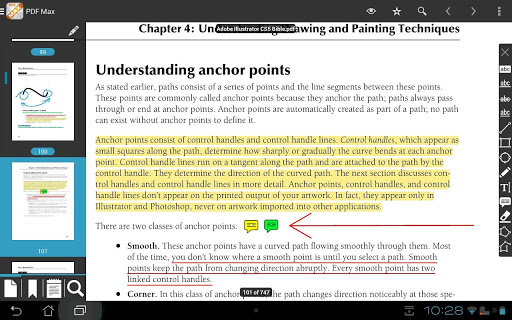
APK: PDF Max: The #1 PDF Reader! v1.2.0


Description:

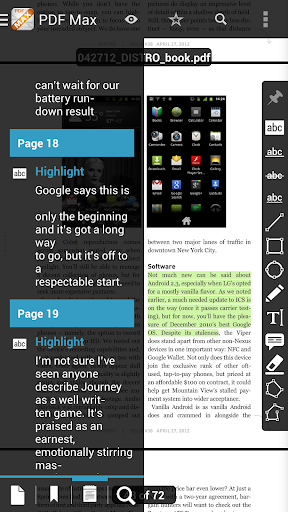
It was designed for those people who’re looking for a full-featured, touch-based optimization & professional PDF application. It provides all features you need for an everyday PDF app in one place so that you do not need to spend extra money for other apps.

FEATURES:
PROFESSIONAL PDF READER
  • TEXT REFLOW: PDF Max includes an Amazing Text Reflow feature that helps you read your PDF easily with any kind of PDF. Forget the tedious pan & zoom steps, you now just enjoy reading your documents.
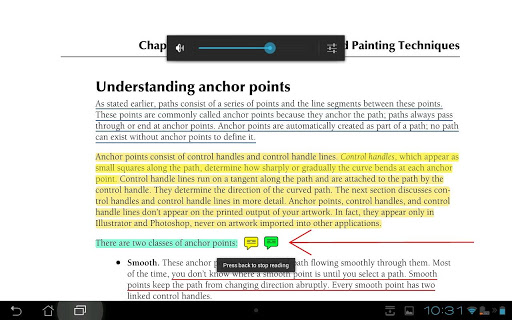
  • TEXT TO SPEECH: Don't keep your eyes on the screen all the time, Let the superb TTS feature in PDF Max does the work: It read PDF documents for you.
  • FAST RENDERING: PDF Max equips a super-fast rendering engine worked smoothly on all Android Phones/Tablets with Android 2.2 or newer.
  • FAST SCROLLING: PDF Max is the best PDF app that allows continuous vertical scroll through an entire document. You can also set the option to view one page at a time, it's your choice.
  • SMART ZOOM: Double-tap on text blocks and PDF Max will zoom the touched text block to fit the screen. Simple & efficient reading.
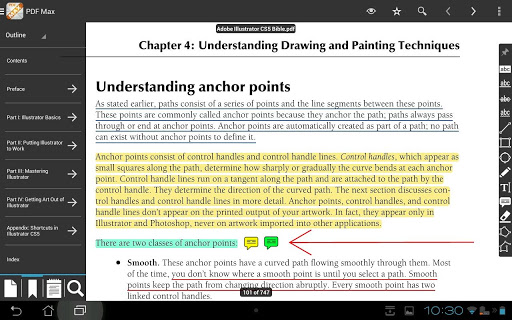
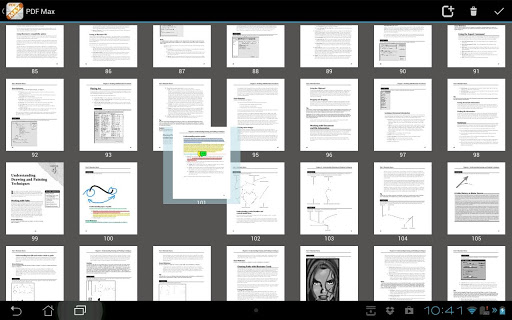
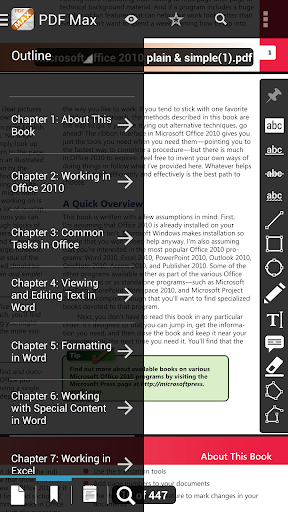
  • UI & NAVIGATE: The Navigation Panel lets you interact with your documents by thumbnails, bookmarks, annotations, PDF outline, Search or other common actions.
  • LARGE PDFs: PDF Max opens large PDFs easily without any problem. The maximum file size is only depending on the file size supported by the device itself.

FULL-FEATURED PDF ANNOTATOR

TYPE ON YOUR PDF:
PDF Max lets you insert text into your PDF by creating FreeTexts (a.k.a TypeWriter).
DRAW WITH YOUR FINGER:
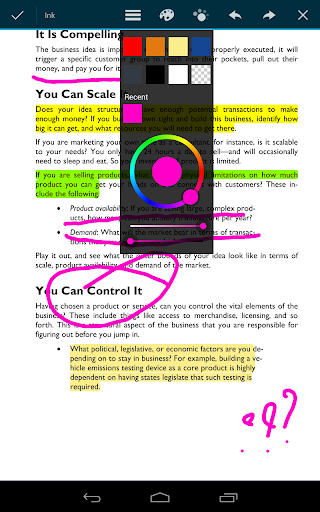
Use your finger or a stylus to take handwritten notes or highlight text in books, whether normal PDF or scanned. Eraser is of course also included to help you correct and refine your handwriting.
MARK UP TEXT:
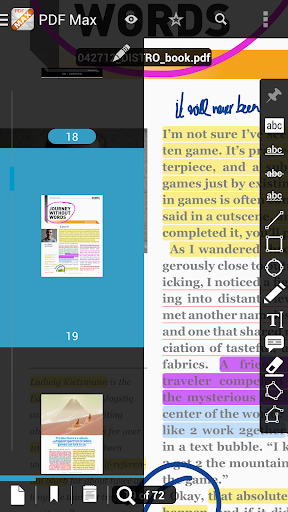
Mark important things in books, journals or documents using Highlight, Underline, Cross-out and Squiggly tools.
CREATE NOTES AND CONVERSATIONS:
Add comments anywhere in the document. PDF Max even supports thread-conversations to help you collaborate with others like never before.
DRAW ANY SHAPE:
Draw, position and resize a multitude of shapes, including Rectangles, Lines, Ovals, Polylines, and Polygons with intelligent snapping.
MANAGE PDF PAGES, BOOKMARKS:
You can reorder pages, insert blank pages and even delete PDF pages. PDF Max also supports manage PDF Bookmarks.
EASY TO USE AND POWERFUL FILE MANAGER
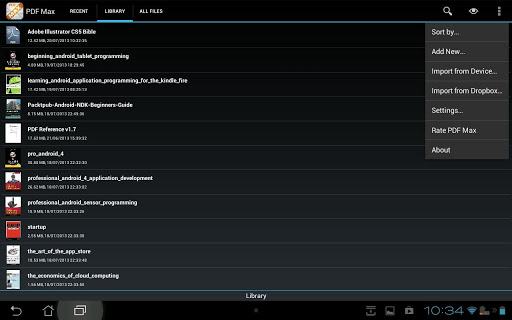
Manage your own PDF library or all your PDFs on your devices easily with an intuitive File Management Interface. Dropbox is supported, more storages will be supported in the next updates.

What's in this version:
New: Added File Info to show the current opening file information.
Fixed: Opacity saving issue.

Required Android O/S: 
2.2+

Screenshots:


Download: 9MB


Friday, 9 August 2013

APK: OfficeSuite Pro 7 (PDF & HD) v7.2.1318


Description:
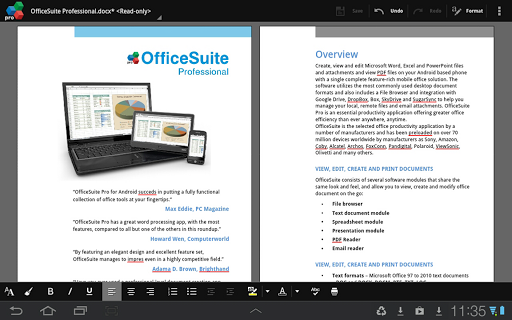
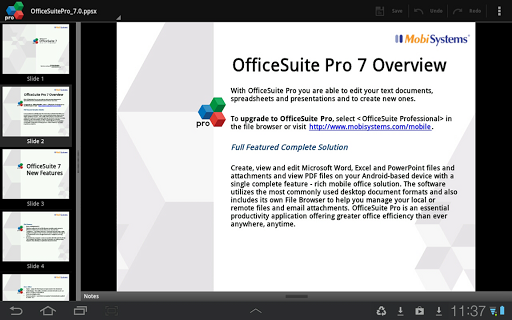
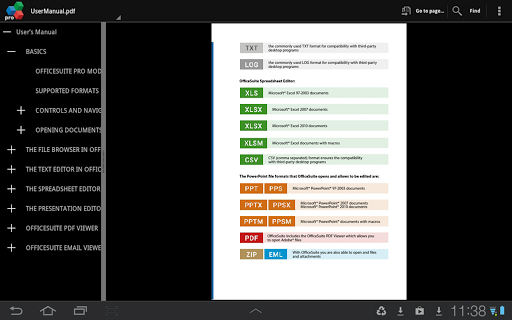
Made by MobiSystems, OfficeSuite Pro allows you to view, create, edit, print and share Word, Excel and PowerPoint files on the go. You can also open attachments and see PDF files on an Android basedphone or tablet with our feature-rich mobile office solution.


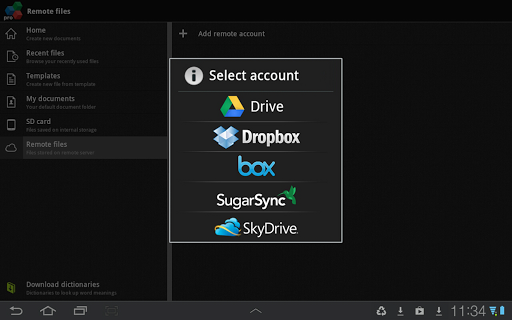
OfficeSuite Pro includes a File Browser and integration with Cloud service leaders: Box, DropBox, Google Drive,SkyDrive and SugarSync to give users a multitude of options on how to manage files and attachments.

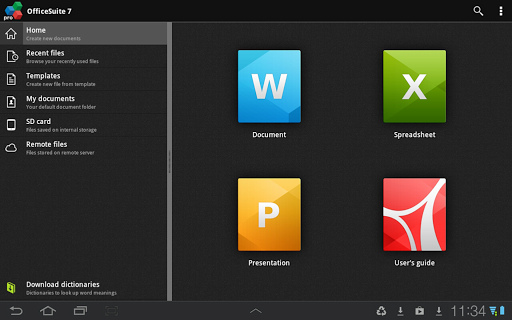
OfficeSuite Pro 7 Out Now! New Features:
  • New and improved UI
  • Side bar navigation in the File Browser for quick access to different folders and remote third party cloud services
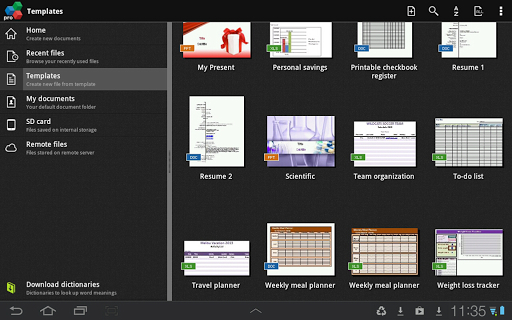
  • Templates - OfficeSuite Pro 7 users can benefit from a wide range of templates, from Resume and Invoice templates to Travel Planner and Weight Loss Tracker templates, among others
  • Extended Cloud support - now compatible with Microsoft SkyDrive. Google Drive support has been improved, by adding folder support, thus allowing for optimized document view
Docs Editor:
  • Styles - apply MS Word styles or styles used in the document
  • Table design – ability to fashion an inserted table as per our library of tailor-made designs
  • Formulas (display only)
  • Format painter
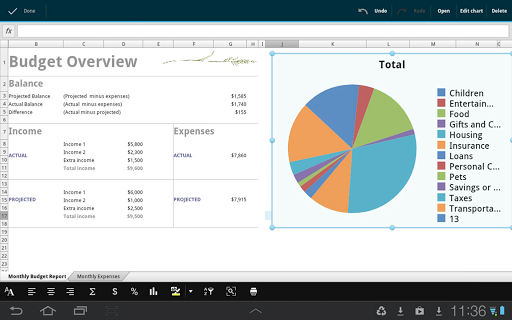
Spreadsheet Editor:
  • Improved selection of parameters in functions
  • Slides Editor:
  • Animations
PDF Viewing:
  • A new PDF engine using library from Adobe, providing instant opening of large PDF files
  •  Find/Find Next
File Formats Supported:
  • Text format - DOC, DOCX, DOCM, RTF, TXT, LOG
  • Spreadsheet - XLS, XLSX, XLSM, CSV
  • Presentation - PPT, PPTX, PPS, PPSX, PPTM, PPSM
  • Other formats - PDF, EML, ZIP
Easy File Access and Sharing:
  • With the integrated File Browser you can easily access, modify and share your local or Cloud stored files. OfficeSuite integrates with Google Drive, DropBox, Box, SugarSync and SkyDrive
  • Easily open email attachments
  • Work with Outlook EML files
  • Share documents via Email or Bluetooth
Intuitive and Intelligent Design:
  • OfficeSuite 7 comes with new intuitive design and user experience allowing quick and intuitive workflow while you manage your files or create and modify documents.
  • New side bar gives instant access to local and cloud stored files.
  • Two-finger zoom, multi-touch support, context toolbars and popup menus make your work with OfficeSuite quick and fun.
OfficeSuite Extensions:
  • QuickSpell – fully integrated with OfficeSuite Pro QuickSpell will help you dramatically improve your typing accuracy.
  • Font Pack – allows you to use Microsoft most used fonts in OfficeSuite text documents.
  • Note that OfficeSuite Extensions are sold separately. Purchasing any of the extensions is optional.
Compatible with Sony Ericsson LiveDock™ Multimedia station.

What's in this version: 
Updated PDF engine
Annotations in PDF files
Fixes in PDF viewing on Android 4.3
Optimization for Android 4.3 in the Excel module
OfficeSuite users will be able to create Evernote notes with document attachments and to look up Evernote notes for a text selection
Ability to insert shapes in Word
Right to left writing in Word for Hebrew and Arabic languages
Export spreadsheets to PDF
Digital keyboard in Excel
Ability to insert shapes
Printing to HP printers (requires HP ePrint)
    Required Android O/S: 
    1.6+

    Screenshots:


    Download : 18.5MB
        

    Sunday, 28 July 2013

    ✼SOFTWARE✼ Foxit Reader 6.0.6.0722


    Description:
    Foxit Reader is a free PDF document viewer and printer, with incredible small size, breezing-fast launch speed and amazingly rich feature set. 

    Whether you're a consumer, business, government agency, or educational organization, you need to read, create, sign, and annotate (comment on) PDF documents and fill out PDF forms. Foxit Reader is a small, lightning fast, and feature rich PDF viewer which allows you to open, view, sign, and print any PDF file. Foxit Reader is the only high volume PDF reader providing a complete PDF creation solution, providing the power of PDF creation to every desktop. Foxit Reader comes equipped with comprehensive protection against security vulnerabilities, keeping your system and company safe.

    Features:
    - Over 150 Million Users
    - Small, Fast, & Feature Rich PDF Reader
    - Free PDF Creation / PDF Conversion
    - Protects Against Security Vulnerabilities

    Screenshots:


    Download:
    Link  | Homepage
    Link  | Changelog
    Download  | 6.0.6.0722
    Download  | Portable