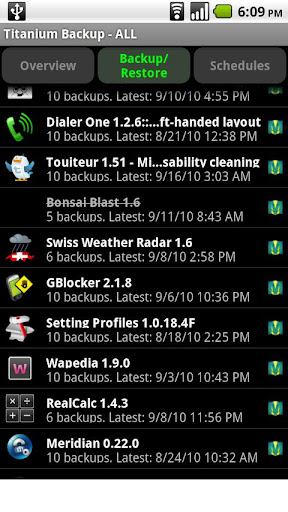
Description:Titanium Backup is the most powerful backup tool on Android, and then some.You can backup, restore, freeze (with Pro) your apps + data + Market links. This includes all protected apps & system apps, plus external data on your SD card. You can do 0-click batch & scheduled backups.
Backups will operate without closing any apps (with Pro). You can move any app (or app data) to/from the SD card. You can browse any app's data and even query the Market to see detailed information about the app.
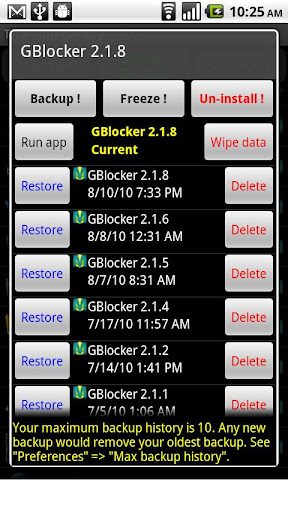
PRO FEATURES ADDED:- Multiple backups per app
- 0-click batch restore
- Multi-user support for some apps! (eg: games)
- Batch verification
- Backup apps without closing them!
- Restore individual apps+data from CWM backups!
- Restore individual apps+data from TWRP backups!
- Hypershell speed
- Migrate system data across different ROMs
- Market Doctor (relink apps to Market)
- "Destroy all Market links" feature
- Apps freezer (incl. batch support)
- Market "auto updating" manager
- Convert user apps <=> system apps
- Encryption
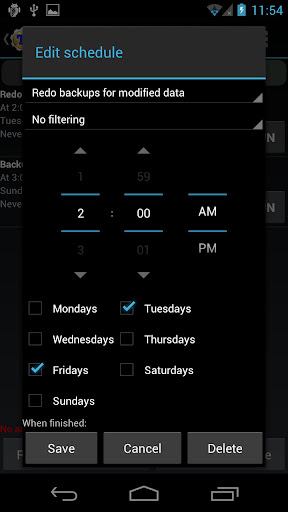
- Unlimited schedules
- Sync to/from Dropbox (manual/scheduled)
- Sync to/from Box (manual/scheduled)
- Sync to/from Google Drive (manual/scheduled)
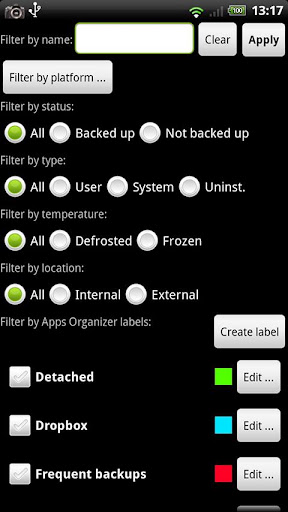
- Load/Save a Filter and use it in Widgets/Schedules
- Protect backup against deletion
- Send backup by e-mail
- Backup→Verify→Un-install an app in one shot
- Freeze/defrost/launch apps in a single click
- CSV export any app DB (e-mail or Google Docs)
- Brand the app with your name
- Bloatware Melter (experimental)
- Convert app data to/from faster WAL DB format
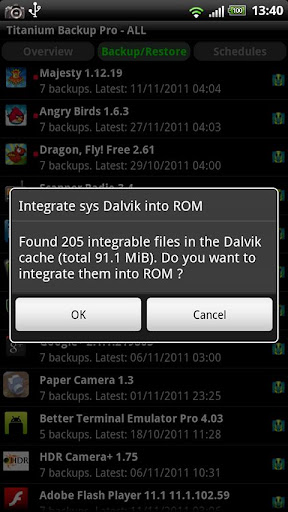
MORE MEMORY:Dalvik cache cleanerIntegrate system app updates into ROMMove apps into ROMIntegrate Dalvik cache system elements into ROM
What's in this version:Can specify power conditions on scheduled jobs.Added initial support for Android 4.3.Added data exclusion for Media Storage (ie: gallery cache) (enabled by default).Fixed "convert to system app" issue on Android 4.2+ (some converted apps failed to work).Fixed issue with XML call log restore: the names weren't getting restored on some platforms (eg: HTC One).Fixed Android 1.5 support (was broken in TB 6.0.5.1).Updated translations.
Required Android O/S: 1.6+
Screenshots:
Download: 5.6MB

Old Version:
Description:AppMonster is an Application Manager for Android.With AppMonster you can easily manage your apps. Enjoy features like backup, restore, uninstall, install from SD card, share and much more.Simple, light user interface and stability.
Let the AppMonster support you after phone reset or switch to a new phone. With backup of Market-Links you'll get your apps back and update-notifications from Market as well.
You don't need to root your phone, AppMonster works without root.
Features:- Automatic (silent) backup on new app installations
- Backup apps to SD card
- Restore apps from SD card
- Backup/restore .apk-files or Market-Links
- Batch restore from SD card or from Market
- Quick uninstalling
- Sort your apps by install-date, name, size
- Display apps with Ads (AdMob)
- Multiple version backup
- Access to extended options like APP2SD, cache, permissions
- Scan SD card for install-files (.apk-files)
- Share app-links via Facebook, Twitter, eMail
- Send backed up apps (.apk-files) by eMail, Dropbox or what ever
What's in this version:Fix for license check issuesSome UI improvements!!! Clear cache after update on ROOT !!!3.0.0 major update with support for ROOT usersBackup protected apps (ROOT)Silent 0-click batch restore (ROOT)Drastically reduced memory usageIncreased loading speedBatch restore menu redesigned
Required Android O/S: 1.6+
Screenshots:
Download: 1MB
Description:AppMonster is an Application Manager for Android.With AppMonster you can easily manage your apps. Enjoy features like backup, restore, uninstall, install from SD card, share and much more.Simple, light user interface and stability.
Let the AppMonster support you after phone reset or switch to a new phone. With backup of Market-Links you'll get your apps back and update-notifications from Market as well.
You don't need to root your phone, AppMonster works without root.
Features:- Automatic (silent) backup on new app installations
- Backup apps to SD card
- Restore apps from SD card
- Backup/restore .apk-files or Market-Links
- Batch restore from SD card or from Market
- Quick uninstalling
- Sort your apps by install-date, name, size
- Display apps with Ads (AdMob)
- Multiple version backup
- Access to extended options like APP2SD, cache, permissions
- Scan SD card for install-files (.apk-files)
- Share app-links via Facebook, Twitter, eMail
- Send backed up apps (.apk-files) by eMail, Dropbox or what ever
What's in this version:!!! Clear cache after update on ROOT !!!3.0.0 major update with support for ROOT usersBackup protected apps (ROOT)Silent 0-click batch restore (ROOT)Drastically reduced memory usageIncreased loading speedBatch restore menu redesigned
Required Android O/S: 1.6+
Screenshots:
Download: 1MB


.jpg)


